Skip to content

Anand Ashok
May 29, 2026
Anand Ashok
May 29, 2026
Every company faces the dilemma of choosing between custom software and off-the-shelf software. For instance, a business that adopted a popular SaaS tool without doing proper research might spend months and thousands of dollars bending their processes to fit it. Similarly, a company that went with custom software without considering its business goals might end up with a huge initial investment and no functional use cases.
This is a decision that shapes your operations, costs, and competitive position for 3 to 5 years. And to give an honest answer, there is no universally right software. What works for a logistics company might not suit a fintech startup. So, the right question is: which software is better for your business?
In this blog, we will attempt to answer that question by breaking down everything you need to know about custom software vs off-the-shelf. We will explore the cost factor, features, and business relevance for both, so you can get a clear understanding of what is right for your business.
What Is Off-the-Shelf Software?
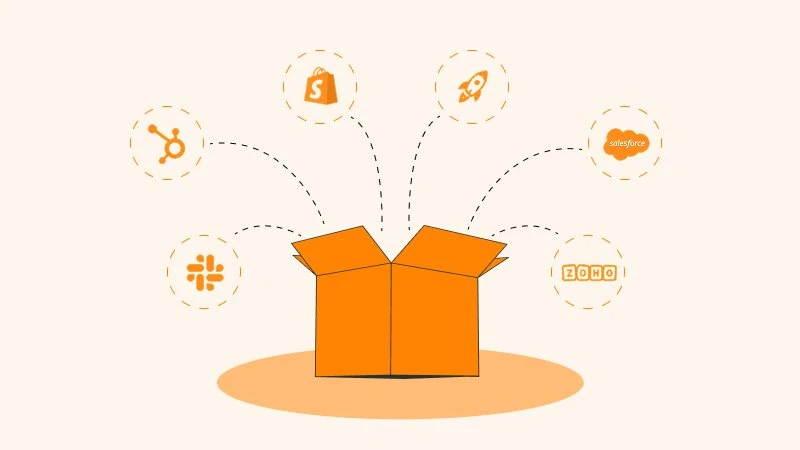
Off-the-shelf software, or commercial-off-the-shelf software (COTS), refers to pre-packaged and standardized applications usually sold through licensing or subscription models. These applications are built for mass market functionality and are designed to serve the needs of general businesses, covering a broad range of features that address common business use cases.
Some common examples of off-the-shelf software are Slack, Jira, Salesforce, HubSpot, Shopify, and Zoho Suite. These solutions offer a wide range of services that are not built for you specifically, but are useful for general business purposes.
The appeal for off-the-shelf software comes not only from its ability to solve general business problems, but also from faster deployment, predictable cost, and vendor-handled updates. That is why over 90% of businesses use off-the-shelf software in their operations, according to Apptunix.
Off-the-shelf software is best for many workflows like payroll, email marketing, and basic CRM, which reduces a lot of management overhead. But it has its limitations, especially for custom workflows that require special knowledge of your business operations.
The Hidden Cost of "Good Enough"
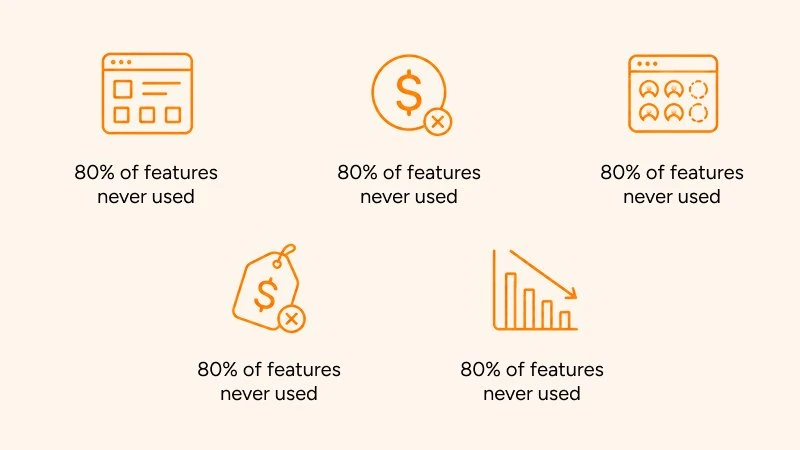
Off-the-shelf software offers an array of tools and features that optimize generic business operations and workflows, but most of those features go unused or underutilized. According to a report by Pendo, 80% of off-the-shelf software features are never used, resulting in $29.5 billion in wasted cloud R&D annually.
Apart from underutilizing features, off-the-shelf software introduces feature bloat, where you pay for features and tools you will never use. This is because enterprise solutions work on the general assumptions of many different businesses, instead of your unique business model.
There is also the case for idle SaaS licenses. According to a report from Ramp, 53% of SaaS applications go underutilized, with organizations losing $21 million a year on unused software licenses. Off-the-shelf software licenses are already expensive to begin with, so when companies do not utilize the full potential of the software, the cost adds up.
The bottom line is that with off-the-shelf software solutions, you are not just buying software. You are buying someone else's assumptions about how your business should work.
What Is Custom Software?
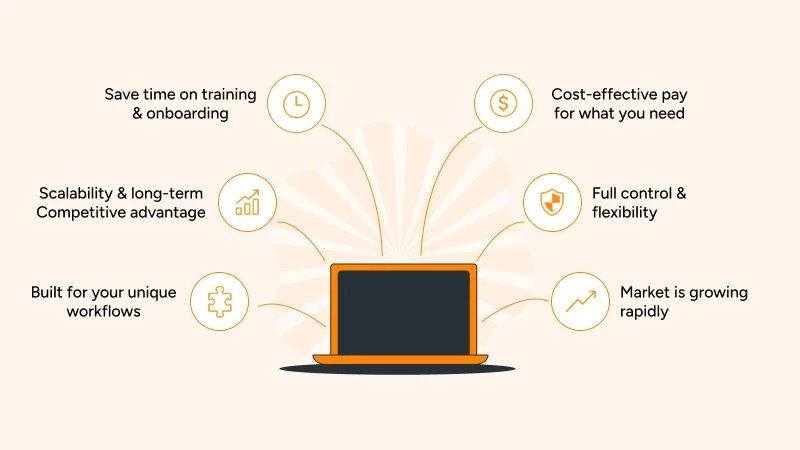
Custom software, or bespoke software solutions, are tailored for specific and unique business problems. Instead of adopting software for generic business needs, custom solutions are built around your unique workflows and requirements. The main focus is on unique workflows, scalability, and long-term competitive advantage, despite higher initial costs.
Custom software solutions save businesses time spent on employee training and the onboarding process because the software is already built around your existing workflows and processes. Instead of your employees adjusting their workflows around a new software, the custom software is designed to fit your unique business needs.
Moreover, custom solutions are also cost-effective because you get exactly what you are paying for; no more, no less. All the features and tools are built for your business requirements, eliminating wastage on unnecessary tools or features. As such, it is no surprise that custom software is gaining popularity. According to Grand View Research, the global custom software development market was valued at $43 billion in 2024 and is projected to reach $146 billion by 2030, a CAGR of 22.6%.
Modern custom software development is considerably more efficient because of the adoption of frameworks like Next.js, Django, and Directus, which have dramatically reduced build times. Importantly, custom software does not mean starting from zero on every component. It means the logic and UX are built around your process.
Who Actually Builds Custom Software?
Custom software is developed by firms specializing in custom software development with deep knowledge of tech stacks and expertise in understanding your unique business operations. These typically include:
- In-house development teams — Specialized teams of developers, designers, and QA as permanent employees.
- Custom software development companies — Boutique agencies like Quixta that specialize in building tailored solutions for businesses.
- Freelance development — Delegating the development work to a small but qualified team of freelancers.
- Hybrid models — Combining existing internal development teams with external specialists to get the best of both.
With the help of custom software development, you can build pretty much anything: custom CRM systems, ERP platforms, mobile applications, e-commerce platforms, healthcare management systems, transport management systems, carrier tracking systems, and more.
What Is the Process of Custom Software Development?
The process starts with identifying whether you need custom software for your business. Once identified, you can either build it with your in-house team or hire a trusted custom software development company. Here is how it works at Quixta and similar development agencies:
- Identify business requirements — Understand what the business is trying to achieve, including target audience, business processes, technical requirements, security needs, and unique workflows.
- Project planning — Build a project plan that acts as a detailed roadmap outlining the project scope, timeline, budget, and resources.
- Choose the right development partner — If not building in-house, look for technical expertise, post-launch support, case studies, industry experience, and communication transparency.
- Software development and implementation — The actual software is developed, factoring in the database, integrations, tech stacks, and schema.
- Testing and quality assurance — Rigorous testing for design and development flaws before deployment, evaluating functionality, scalability, and reliability.
- Post-launch maintenance — Ongoing aftercare support, feature enhancements, and security updates after launch.
The Real Cost Comparison
Most people put a lot of value on the initial cost of buying or developing software, where off-the-shelf software clearly appears cheaper compared to custom software. But a more nuanced and deeper look factors in the long-term cost of owning the software.
Custom software might have a higher upfront cost, but the long-term cost associated with enterprise software, especially with tier and feature upgrades, adds up as your business scales.
In short, the cost difference between custom software and an off-the-shelf solution is not only about the monthly subscription fee versus the development quote, but about the total cost of ownership over 3 to 5 years.
Off-the-Shelf Software: The Full Cost Picture
On paper, off-the-shelf software looks affordable. In reality, the costs compound.
| Cost Component | Typical Range | Notes |
|---|---|---|
| Per-seat pricing | $20–$100/user/month | Scales linearly with team size |
| Add-ons & upgrades | 20–50% extra | Features locked behind tiers |
| Integration tools | $10K–$150K/year | Middleware, APIs, connectors |
| Price increases | 8–15% annually | Standard across vendors |
| Support & licensing | 22–25% annually | Based on the initial contract value |
In reality, off-the-shelf software ends up being considerably more expensive as your operations scale. What actually drives up the cost:
- Per-seat pricing — A $50/user/month plan sounds reasonable for a team of 20, but at 500 users that is $300,000 a year before a single add-on. Most enterprise SaaS tiers are not linear either; crossing a seat threshold often triggers a price-per-user jump that your finance team will not see coming until renewal.
- Tier upgrades and add-ons — The features that actually matter, like advanced reporting, API access, custom roles, and SSO, are rarely in the base plan. They are the carrot that gets you in the door, then moved to the next tier up.
- Annual price increases — SaaS vendors routinely raise prices 8 to 15% at renewal. Once your team is embedded in a platform, your negotiating position is weak. You absorb the increase or face an expensive, disruptive migration.
- Integration costs — Off-the-shelf tools rarely talk to each other natively. You end up paying for middleware, consultants, or custom API work to connect your CRM to your ERP to your ops platform, and doing it again every time one of those vendors updates their API.
Note that none of this makes off-the-shelf software a bad choice. It makes it a more expensive choice than the price tag suggests, and that is the calculation businesses need to do before they sign.
Custom Software: The Full Cost Picture
In contrast to off-the-shelf software, custom solutions flip the model with higher upfront investment and lower long-term variability.
Typical development costs
| Project Type | Cost Range | Use Case |
|---|---|---|
| Simple internal tool | $30K – $80K | Dashboards, automation tools |
| Mid-market B2B platform | $80K – $250K | CRMs, workflow systems |
| Enterprise-grade system | $250K – $500K+ | Complex operations, logistics |
Ongoing costs
| Cost Component | Typical Range | Notes |
|---|---|---|
| Maintenance | 15–20% annually | Bug fixes, updates, and scaling |
| Hosting & infrastructure | $5K–$50K/year | Depends on usage |
| Enhancements | Variable | Based on business growth |
Why is custom cheaper than it used to be?
Modern custom software development has been fundamentally changed by the introduction of new frameworks like Next.js and React, and cloud infrastructure, leading to reduced development time, eliminated repetitive coding, and enabled reusable components. This makes custom software development more agile, faster, and effective in the short run.
With custom software development, you are actually paying for: upfront system design tailored to your workflows, long-term control and ownership, and predictable scaling costs.
Detailed Cost Comparison: Custom Software vs Off-the-Shelf
| Factor | Off-the-Shelf Software | Custom Software |
|---|---|---|
| Initial Cost | $0 – $10,000 (setup, onboarding, licenses) | $20,000 – $300,000+ (depending on scope) |
| Ongoing Cost | $20–$500/user/month or $1,000–$100,000/year | $5,000–$50,000/year (maintenance, hosting, updates) |
| Total Cost (3–5 years) | $10,000–$500,000+ (scales with users & add-ons) | $30,000–$500,000+ (higher upfront, lower incremental) |
| Time to Deploy | Immediate to 2 weeks | 3 months – 12+ months |
| Customization Level | Limited (within vendor constraints) | Fully tailored to business needs |
| Scalability | Scales easily, but gets expensive per user | Scales flexibly with infrastructure control |
| Ownership | No ownership (subscription-based) | Full ownership of code & IP |
| Integration Costs | $1,000–$50,000+ (APIs, middleware, consultants) | Built-in during development (included in upfront cost) |
| Hidden Costs | High (add-ons, premium features, user tiers, support fees) | Moderate (scope creep, future upgrades) |
| Security Control | Vendor-controlled | Fully controlled by business |
| Compliance | Limited to vendor capabilities | Fully customizable to regulatory needs |
| User Experience (UX) | Generic, one-size-fits-all | Designed specifically for workflows |
| Vendor Lock-in Risk | High | None |
| Maintenance Responsibility | Vendor handles updates | Your team or vendor maintains the system |
| Performance Optimization | Generic optimization | Tailored for performance needs |
| Flexibility | Low to moderate | High |
| Long-Term ROI | Decreases as costs accumulate | Improves over time |
Head-to-Head Comparison Across Key Dimensions
Now that you have understood the cost difference between custom software and off-the-shelf solutions, let us delve into a full comparison on the basis of key dimensions that affect how the software is developed and utilized in real business environments.
Speed to Deploy
Off-the-shelf software is the clear winner here. Enterprise solutions are favored for their quick deployment abilities. You can set up HubSpot on Monday, and your sales team can be logging calls by Wednesday. Shopify can have you processing orders within hours of setup. For businesses with standard needs and urgent timelines, that speed is genuinely valuable, and no development agency can match it.
On the custom side, a focused internal tool or workflow automation can be delivered in six to ten weeks with modern frameworks. A mid-market B2B platform typically runs three to six months from discovery to launch. It is a meaningful investment of time, but one with a defined end and a system built around your actual requirements.
If you need something operational within days, buy off-the-shelf. If you need something that still works properly for your business three years from now, the deployment timeline is worth reconsidering as a decision factor.
Scalability and Integration
Integration is one of the core considerations in buying decisions, but it is mostly ignored as an afterthought. This becomes a coordination problem in the later stages, where disconnected systems create workflow inefficiencies that affect business operations. According to the MuleSoft 2025 Connectivity Framework, the standard business runs an average of 897 apps, but only 29% are integrated.
Off-the-shelf tools are designed to work well within their own ecosystem. Salesforce integrates cleanly with other Salesforce products. Shopify works smoothly with Shopify apps. If you want to break out of that ecosystem, you have to pay for integration platforms, custom API work, or consultants to build connectors that break every time one of the vendors ships an update.
Scalability carries a similar problem. Most SaaS platforms cannot handle more complexity. The moment your processes diverge meaningfully from what the vendor designed for, you are either forcing your operations into the software's constraints or paying heavily to extend it.
Custom software inverts this. Integration requirements are part of the build specification from day one. Your existing stack is mapped and accounted for in the architecture, not bolted on after the fact. And as your business scales, the system scales with it on your terms, not the vendor's pricing structure.
Security and Compliance
According to Feroot, GDPR fines exceeded €1.6 billion in 2024 alone. This makes security and compliance risks one of the most important considerations for choosing between custom software and off-the-shelf.
With off-the-shelf and SaaS solutions, you inherit the vendor's security posture: their architecture, their access controls, their data residency decisions, their response protocols when something goes wrong. For most commodity business functions, that is an acceptable tradeoff. For anything touching sensitive data, it introduces a risk you do not fully control.
Custom software changes the control model entirely. Encryption standards, data residency, role-based access controls, audit trails, and multi-factor authentication are designed into the system according to your compliance requirements, instead of being retrofitted around a vendor's existing architecture.
Summary Comparison Table
| Dimension | Off-the-Shelf Software | Custom Software |
|---|---|---|
| Time to Deploy | Days to weeks | 3–9 months |
| Upfront Cost | Low ($1K–$100K) | Higher ($50K–$500K+) |
| Long-Term Cost | Escalates (subscriptions, tiers, add-ons) | Stable (maintenance-focused) |
| Fit to Your Workflow | You adapt your process to the software | Software adapts to your process |
| Integration | Often requires middleware and workarounds | Designed to connect your stack natively |
| Scalability | Limited by vendor roadmap and pricing tiers | Scales with your actual business growth |
| Security & Compliance | Vendor-managed; shared responsibility | Fully controlled with bespoke policies |
| Competitive Advantage | Same tools as competitors | Unique systems and workflows |
| Vendor Dependency | High (lock-in, pricing changes, shutdown risk) | None — you own the code |
When Off-the-Shelf Is Clearly the Right Call
Off-the-shelf software, despite its long-term cost and feature limitations, is the best option for general business functions. The key is to identify those functions where it works perfectly fine.
- Your needs are genuinely standard — If you are running payroll, sending email campaigns, tracking basic leads, or managing invoices, these are solved problems. There are mature, well-supported tools built specifically for them. Custom development here adds cost without adding advantage.
- You are at the early validation stage — Getting to market quickly matters more than having a perfect-fit system. Lock in product-market fit first, then optimize the tooling later.
- Budget is tight and the business model is not yet proven — A $150,000 custom build is hard to justify before you know your unit economics. Off-the-shelf lets you operate while you figure out or prove the model.
- The process you are automating is not a competitive differentiator — If how you do your accounting, manage leave requests, or schedule team meetings does not affect why clients choose you, there is no strategic reason to build it from scratch.
- Your team has no in-house technical capability — Off-the-shelf tools come with vendor support, documentation, and established user communities. If you do not have developers internally, that support infrastructure matters.
- You need to be operational within days or weeks — A hard deadline with no room for a development cycle is a clear signal. Focus on deploying what works now, then revisit when the immediate pressure is off.
When Custom Software Is the Right Investment
There is a point in many businesses where the off-the-shelf stack starts working against them. This is evident where tools that once enabled growth start creating friction, or when data lives in three different places and none of them talk to each other. This is when custom software stops being a luxury and starts being a strategic necessity.
- Your workflow is a competitive differentiator — The way your business operates, like how you manage clients, process orders, deliver services, or coordinate your team, is part of why customers choose you. This is when you need a custom solution that facilitates and optimizes your operation instead of constraining it.
- Your team is spending significant hours on manual workarounds — If you are spending considerable time copying data between systems, exporting CSVs to reconcile reports, or chasing approvals over email because the tool does not support your actual approval chain, then custom software is your answer.
- You have outgrown an off-the-shelf tool and face an expensive migration — The moment you start heavily customizing a SaaS platform, building on top of it, and connecting it to everything else, you have created technical debt and lock-in. The only way to free yourself from this is to transition to custom software.
- You handle sensitive or regulated data — If GDPR, HIPAA, PCI DSS, or ISO 27001 compliance is part of your operating environment, you need control over your security architecture, not reliance on a vendor's shared infrastructure.
- Subscription costs are growing faster than your headcount or revenue — When your SaaS spend is scaling at a higher rate than the business value it delivers, the economics of ownership start making more sense than the economics of renting.
The Hybrid Approach: Getting the Best of Both Worlds
The custom vs. off-the-shelf debate is often framed as a binary choice. In practice, most sophisticated B2B businesses choose both, deliberately, for different parts of their operation.
The hybrid model works on a simple principle: buy for commodity, build for competitive advantage. Use proven, well-supported off-the-shelf tools for the functions that do not differentiate your business. Build custom where your processes, your data, or your customer experience are part of what makes you worth choosing.
A hybrid approach combines off-the-shelf cores for speed and cost savings with custom-built modules for unique processes, offering both flexibility and faster ROI.
What a Well-Designed Hybrid Stack Looks Like in Practice
HubSpot for marketing automation + a custom operations platform for field service management
HubSpot handles lead capture, email sequences, and pipeline tracking, which it is well-suited for. For tasks too specific to fit into any off-the-shelf software, like job scheduling, technician dispatch, and client reporting, those get built custom.
Stripe for payments + a custom checkout flow and customer portal
Stripe's payment infrastructure is battle-tested and would be wasteful to rebuild. But the checkout experience, the customer-facing portal, and the account management workflows are brand touchpoints that a generic SaaS interface cannot deliver.
Directus CMS for content management + a custom Next.js frontend
The content management layer is a solved problem that Directus handles well. The frontend that surfaces that content to clients is where the brand, the UX, and the performance standards live. That gets built custom, pulling content from the CMS via API.
The pattern across all three examples is the same: commodity infrastructure stays off-the-shelf; anything client-facing, operationally critical, or competitively sensitive gets built to spec.
So the question is not custom or off-the-shelf. It is about identifying which parts of your operation you can just buy and which parts should be built to own. Map your functions against two criteria: how standard the process is, and how directly it affects your competitive position. Anything that scores low on both counts is a strong off-the-shelf candidate. Anything that scores high on the second is worth building.
The risk to watch for in hybrid models is letting the buy layer grow unchecked. Each new SaaS tool added to the stack is another integration to maintain, another subscription to renew, another vendor relationship to manage. The hybrid approach only delivers its full value when the off-the-shelf layer is kept lean and the custom layer is built with those integrations in mind from the start.
A 5-Question Decision Framework
Most software decisions go wrong because the business has not clearly defined what it actually needs the software to do. Not only in terms of features, but in terms of strategic fit, operational reality, and long-term cost. These five questions are designed to cut through that. Work through them honestly, ideally with both a technical and a commercial stakeholder in the room.
1. Is this function a competitive differentiator or a commodity?
This is the first question because it is the most clarifying. It divides almost every software decision cleanly into two buckets.
If the answer is no, it is a commodity function. Off-the-shelf software exists precisely for this.
If the answer is yes, custom software is your best choice. Embedding it in a generic platform means handing part of your competitive advantage to a vendor's product roadmap.
2. How much are you currently spending on workarounds?
This question makes the hidden cost of staying with the wrong software visible.
If the annual figure is under $20,000, it may not justify a custom build on its own, though it should still factor into your total cost of ownership comparison.
If it is approaching or exceeding $50,000 per year, there is a strong business case for custom software. The question becomes whether you would rather keep paying for the problem or invest in solving it.
3. What does your integration landscape look like?
Count the critical systems your business runs on: your CRM, ERP, accounting platform, customer portal, ops tools, and reporting stack. Now ask how many of them need to share data with each other in real time, or close to it.
- Under 3 systems with light data exchange — Off-the-shelf integrations or a simple middleware layer will likely do the job without high cost or complexity.
- 4 or more systems with meaningful data dependencies — You are entering middleware sprawl territory. Each integration point is a maintenance liability, a potential failure point, and a recurring cost every time one of those vendors ships a breaking API update.
- 5 or more critical systems that need to talk to each other consistently — A custom platform designed around your integration requirements will almost always be cheaper, more reliable, and easier to maintain over three years than a stack of connectors holding together tools that were never designed to work with each other.
4. What is your 3-year user and data growth projection?
Off-the-shelf software starts cheaply. The pricing model is designed that way. The changes appear when you need upgrades.
Take your current per-seat cost and model it forward: at 2x your current user count, what does the annual licence cost look like? Are you crossing a pricing tier that triggers a per-user rate increase? At 3x your current user count, does the vendor's pricing structure still make sense relative to the value the software delivers? As your data volume grows, does the platform charge for storage, API calls, or additional processing capacity?
Run these numbers over a five-year horizon and compare the total against a custom build with flat annual maintenance costs. For many mid-market businesses, the crossover point comes sooner than expected. Per-seat SaaS pricing is designed for early-stage adoption. It becomes progressively less efficient as a business scales.
5. How sensitive is your data, and what regulations apply?
If your business operates under GDPR, HIPAA, PCI DSS, ISO 27001, or any sector-specific data regulation, you need software where you control the compliance architecture, not a platform where compliance is managed by a vendor on behalf of thousands of other businesses simultaneously.
Beyond the regulatory floor, consider: where is your data stored, and in which jurisdiction? For EU clients, data residency matters legally and commercially. Who has access to your data within the vendor's organization? SaaS vendors' support and engineering teams typically have some level of access to customer data. What happens to your data if the vendor is acquired, raises prices significantly, or shuts down? Vendor lock-in is not just an inconvenience; for businesses with large historical datasets, it can be an existential operational risk.
Conclusion
To wrap up the debate of custom software vs off-the-shelf, it ultimately comes down to your business requirements and workflow design. Identifying and understanding what you need and how you want to use the software determines whether you need custom software or an off-the-shelf solution.
If your workflow is a competitive advantage, then it should be treated as proprietary infrastructure, and not something you rent from a vendor. If software or tool integration is not a core factor in your business, then an off-the-shelf solution works best.
Use the 5-point framework above, and start by understanding your business goals and operations, because in the end, the right answer is different for every business.
If the answers to your questions lead you to custom software, Quixta's custom software development can help you build the perfect solution that is tailored to your business needs and serves your existing workflows.