
TLDR
- Webflow sites are faster by default because managed hosting, a global CDN, image optimization, caching, and code minification are all included in the platform. WordPress requires separate plugins and hosting choices to achieve the same results.
- The biggest WordPress speed killers are plugin bloat, unoptimized images, multipurpose theme overhead, and uncached database queries on dynamic pages. Webflow eliminates most of these by design.
- Both platforms can produce fast websites. The difference is that Webflow starts with strong Core Web Vitals scores, while WordPress has to be configured and maintained to reach them.
- Website speed directly affects SEO rankings, bounce rates, and conversion rates. Research shows B2B sites loading in one second convert at three times the rate of those loading in five seconds.
- Webflow is not the right choice for every website. Large e-commerce stores, plugin-heavy membership sites, and teams that need full platform portability may still be better served by a well-optimized WordPress setup.
Webflow websites are typically faster than WordPress websites because Webflow includes managed hosting, a global CDN, automatic image optimization, built-in caching, and clean code output by default. WordPress can match that performance, but it requires the right hosting provider, a lightweight theme, a caching plugin, an image optimization plugin, and ongoing maintenance to get there.
The difference is not that WordPress is slow. It is that WordPress performance depends on a stack of decisions that can each go wrong, while Webflow ships with most of those decisions already made. This guide breaks down 11 specific factors that give Webflow a faster baseline, explains why website speed matters more than ever for SEO and conversions in 2026, and compares the two platforms side by side so you can evaluate which approach fits your business.
Why Do Webflow Sites Load Faster Than WordPress?
- Built-In Global CDN and Managed Hosting
Webflow includes fully managed hosting on an enterprise-grade global CDN. Every asset, including images, CSS, JavaScript, and HTML, is served from the server closest to the visitor. There's no hosting provider to evaluate, no server to configure, and no CDN plugin to install. WordPress requires a separate hosting provider, and CDN access depends on that provider's infrastructure or an additional service. The performance floor on Webflow is higher by default because hosting and delivery are optimized as a single system rather than assembled from separate parts.
- Clean, Compact Code Output
Webflow generates semantic HTML, CSS, and JavaScript without the overhead that comes from multipurpose themes or plugin stacks. The code reflects only what the page actually uses. WordPress themes are often built for maximum design flexibility, which means they ship with styling, scripts, and configuration options that most sites never use. Each additional plugin loads its own CSS and JavaScript, increasing the total payload the browser has to download and parse before the page becomes usable.
- No Plugin Dependency for Core Functionality
Core features like forms, CMS, SEO tools, responsive design, and hosting are built into Webflow. This eliminates the baseline plugins that WordPress sites typically need for basic functionality. Webflow sites do sometimes use third-party tools for advanced filtering, search, memberships, or other features, but the dependency is typically smaller and more controlled than WordPress's plugin ecosystem, where a 20-plugin stack is common even for a straightforward marketing site.
- Automatic Image Optimization
Webflow automatically generates responsive image sizes and uses modern delivery methods so that visitors receive images appropriate for their device and viewport. Lazy loading is applied by default, meaning images below the fold load only when the user scrolls to them. WordPress can achieve similar results, but it requires plugins like ShortPixel or Imagify and manual configuration. Without those, unoptimized images are one of the most common causes of slow WordPress page loads.
- Built-In Caching and Reduced HTTP Requests
Webflow handles browser caching, CSS and JavaScript minification, compression, and asset consolidation automatically. Fewer separate files mean fewer HTTP requests, which directly reduces the time a browser needs to render the page. WordPress sites need caching plugins like WP Super Cache or W3 Total Cache, plus manual optimization of asset delivery. Without that setup, every page load involves more round trips between the browser and server than necessary.
- Strong Core Web Vitals by Default
Google's Core Web Vitals, including LCP, INP, and CLS, measure loading speed, responsiveness, and visual stability. Webflow's optimized hosting, efficient code output, automatic image handling, and built-in caching work together to give most Webflow sites strong baseline scores without additional configuration. WordPress sites can achieve the same scores, but it takes deliberate effort across hosting selection, theme choice, plugin management, and performance tuning. The difference is that Webflow starts with good scores and WordPress has to work toward them.
- Optimized CMS Architecture
Webflow's CMS pre-renders dynamic content and serves it from the CDN, keeping server-side processing minimal for each visitor. Blogs, case studies, portfolios, and landing pages load quickly regardless of how much CMS content the site contains. WordPress generates dynamic content through database queries on each request unless full-page caching is configured. As WordPress sites grow and plugins multiply, uncached database load increases, which can slow down content-heavy pages noticeably.
- Automatic Platform Updates and Consistent Performance
Webflow handles all infrastructure updates, security patches, and platform enhancements automatically. There's no risk of a missed update degrading performance or a plugin conflict breaking the site after an upgrade. WordPress requires the site owner to manage core updates, theme updates, and plugin updates individually. Skipping updates creates security and performance risks, while applying them without testing can introduce conflicts. Webflow eliminates this maintenance burden entirely, which is why performance tends to remain consistent over time rather than degrading as the site ages.
- No Theme or Framework Overhead
WordPress loads an entire theme framework on every page request, including template files, functions, hooks, filters, and framework-specific assets, regardless of whether the individual page uses all of them. A multipurpose theme can add hundreds of kilobytes of unused CSS and JavaScript to every page because the framework has to account for every possible layout and feature the theme supports. Webflow has no equivalent intermediary layer. Each page loads only the styles, interactions, and scripts that are actually applied to it. There's no theme architecture sitting between the content and the browser, which means less code to download, parse, and execute before the page becomes visible and interactive.
Why Is Website Speed More Important Than Ever?
As user expectations increase and page experience becomes increasingly important to Google, companies are now more focused than ever on building fast, efficient websites.

Here’s why website loading speed is important:
- SEO: Site speed has become one of the most critical factors for SEO as Google ranks websites by their Core Web Vitals such as Largest Contentful Paint (LCP), Interaction to Next Paint (INP), and Cumulative Layout Shift (CLS). By improving these elements, you will be able to rank higher in search results and increase visibility through organic traffic.
- Bounce Rate: Slow-loading websites make people leave the website quickly, increasing bounce rates and signalling to Google that the website is not worth ranking.
- Conversions: A fast website helps users take action quickly and fill out forms, request a demo, and purchase products faster.
- User Experience: A fast-loading website provides a better user experience for those visiting the site.
- Performance on Mobile Devices: Since most people browse the internet on mobile devices today, it becomes highly important to have a fast-loading website.
- Increases Brand Credibility: A fast website gives people a positive impression, while poor website performance can spoil it.
- Promotes More Engaging Sessions: Users tend to browse more pages and consume more content if a website is fast to load and has high performance capabilities.
- Facilitates Lead Generation: High performance makes the website experience smoother throughout the entire process, increasing the chances of creating quality leads.
- Gives You an Edge Over Competitors: In competitive spaces, a high-performance website will give you the edge you need to stand out and keep customers loyal.
Webflow vs. WordPress: A Quick Performance Comparison
Webflow and WordPress are both great website-building platforms capable of producing high-performance websites. The two platforms have their respective methods of ensuring high performance. While Webflow is an all-in-one platform that includes hosting and automatic optimizations that can help websites run efficiently without much work, WordPress is a flexible content management system whose performance depends on its hosting, theme, and plugin capabilities, among others.
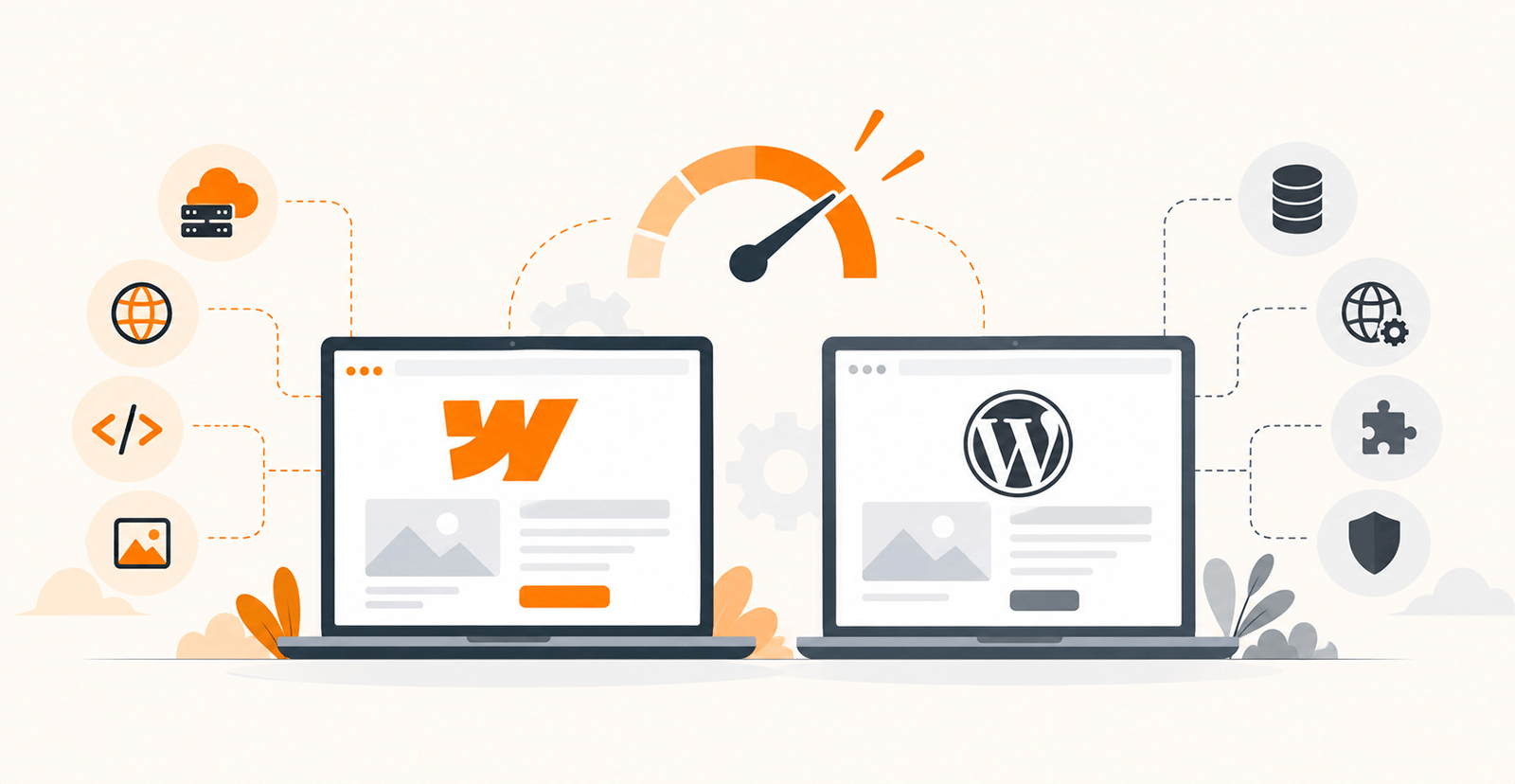
The table below highlights the key performance differences between the two platforms:
Feature | Webflow | WordPress |
Hosting | Built-in managed hosting on global CDN | Requires separate hosting; quality varies by provider |
CDN | Included by default | Available through hosting provider or plugin; not automatic |
Code Output | Clean, semantic code generated automatically | Depends on theme and plugin quality; lightweight themes produce clean code |
Image Optimization | Automatic responsive images and lazy loading | Available through plugins like ShortPixel or Imagify; not built-in |
Caching | Built-in caching and asset minification | Requires caching plugin or server-level configuration |
Security | Managed by platform with automatic updates | Site owner manages updates, backups, and security configuration |
Platform Updates | Handled automatically | Core, theme, and plugin updates managed by site owner |
Performance Consistency | Consistent by default across projects | Achievable with proper setup; varies with hosting, theme, and plugins |
Why Choose Quixta for a High-Performance Webflow Development Project?
At Quixta, we construct fast, scalable, and future-proof Webflow websites for our clients. Our focus on performance ensures your site delivers a unique user experience while meeting your SEO and conversion requirements.
- Performance-First Development: We build Webflow sites that load quickly and provide a seamless experience for your users.
- Clean & Scalable Development: Our development process is clean and scalable, so it becomes easier for us to update or add new features to your website.
- Built for Core Web Vitals & SEO: All our sites come with Core Web Vitals, technical SEO, accessibility, and responsive design at their core.
- Seamless WordPress to Webflow Migration: We move your site to Webflow with minimum downtime and keep SEO and site structure intact as much as we can.
- Webflow Custom Solutions: Whether it's marketing websites, SaaS products, or enterprise websites, our projects are built with complete customization to your business goals.
- Continuous Support and Maintenance: Our professional web developers offer continuous support and maintenance services for all types of Webflow websites.
- Professional Webflow Web Developers: With our experience in developing Webflow websites for startups, SaaS businesses, and enterprises, you can expect to achieve your business goals.
Conclusion
The Webflow vs WordPress speed comparison comes down to one core difference: Webflow includes performance optimization by default, while WordPress requires deliberate configuration to achieve similar results. Both platforms can produce fast websites, but Webflow reduces the number of technical decisions, plugins, and hosting variables that can introduce performance problems. For businesses that want a fast, maintainable website without building a performance stack from scratch, Webflow delivers that out of the box.
Is Your Website Underperforming on Speed and Core Web Vitals?
If your current site is underperforming on Core Web Vitals, losing mobile visitors to slow load times, or depending on too many plugins to stay functional, Quixta can help. We build Webflow websites with performance, SEO, and scalability built in from day one.
FAQs
Yes, Webflow is faster than WordPress because it already has many performance features available right out of the box, including built-in hosting, a global CDN, image optimization, and caching. WordPress sites can achieve the same level of performance, but it may require extra plugins, premium hosting, and additional optimization efforts from the website owner. Since Webflow provides many performance capabilities automatically, it will be easier for businesses to have a fast website. Of course, many other aspects may influence website performance.
WordPress plugins provide new capabilities for a website, but at the same time, they mean the browser has to load more resources, like CSS and JS files. Besides, more plugins mean more queries to the database and external API requests. That is why a website may become slower if the number of plugins is too high or some of them are not optimized. Regular audits, updates, and, most importantly, optimization are essential to ensure that plugins do not affect website speed or perform negatively.
No, Webflow includes many web performance features. Hosting, image optimization, caching, SEO options, and responsiveness are only some of the functions included in Webflow by default. This means fewer plugins are needed, and the problems associated with using them are not present. Therefore, maintaining Webflow websites is significantly simpler and guarantees better website performance.
Website speed matters for SEO because Google considers page experience metrics such as Core Web Vitals in ranking. This means that if websites perform slowly, bounce rates increase and people spend less time on websites, which leads to low engagement. Fast websites create a better experience and increase the chances of getting higher ranking positions. When combined with high-quality content and technical SEO, a website's search rankings can significantly improve, leading to overall good performance.
Core Web Vitals are Google's metrics for measuring user experience on a website. They include Largest Contentful Paint (LCP), which measures loading performance; Interaction to Next Paint (INP), which evaluates responsiveness; and Cumulative Layout Shift (CLS), which measures visual stability. Websites that perform well across these metrics offer a smoother experience to users. Optimizing Core Web Vitals can improve SEO, engagement, and conversion rates.
WordPress can be as fast as Webflow. To be fast, it needs good hosting, caching, light themes, and optimization. But all this can be done only with some technical knowledge, which Webflow provides for its users right away. If there is no team of developers in the company, it might be easier to use Webflow. Additionally, while WordPress offers great flexibility, Webflow provides a much faster, more streamlined user experience with minimal manual effort.
Certainly. Webflow allows you to create a variety of websites, ranging from landing pages to enterprise sites. Being an infrastructure that is ready for growth, Webflow will work well for enterprises that have increased traffic or other more complex content needs. Companies use Webflow to create their marketing websites, portfolios, blogs, SaaS platforms, and many others. The platform is specifically designed to maintain performance even as websites scale.
With a proper migration, there won't be any significant effects on SEO. During the migration process, it is necessary to maintain URLs, set redirects, migrate metadata, and retain the content hierarchy. In this way, a proper migration can positively impact SEO by improving the website's performance and users' experience. Moreover, businesses should also monitor their rankings and traffic after migration so as to identify any issues at the earliest. A well-planned migration can boost both performance and business growth.
Yes, Webflow offers fully hosted and managed hosting and security. No need to worry about the need to find a hosting company or configuring servers. The company also handles infrastructure updates and security enhancements. At the same time, WordPress requires users to choose their own hosting and handle updates, backups, and security on their own. Webflow websites have built-in global CDN support and enterprise-level infrastructure. So, since security updates are automatically managed, businesses can focus more on meeting their goals rather than worrying about technical maintenance.
There are many indicators that your website needs optimization, such as slow load time, a high bounce rate, poor Web Vitals results, and a low conversion rate. You can use tools such as Google PageSpeed Insights and Lighthouse to detect the problem areas. If users are leaving your site without taking any action, speed can be the cause. By addressing performance issues early, you can improve engagement and plan your long-term business goals accordingly.